
01 · Provenance
Enterprise RFx automation for business teams
RFx answers your reviewers can defend
Drop in the questionnaire. MyFAQ drafts cited answers from your approved knowledge, flags what is missing, and keeps your reviewers in control.
- Excel-native questionnaire automation
- Citation-backed AI answers from approved content
- Microsoft 365 and Google Workspace connected
Excel
SharePoint
OneDrive
Microsoft Teams
Google Drive
Google Chat
Microsoft 365
Google Workspace
ChatGPT
Claude
PDF · Word · PowerPoint
Product tour
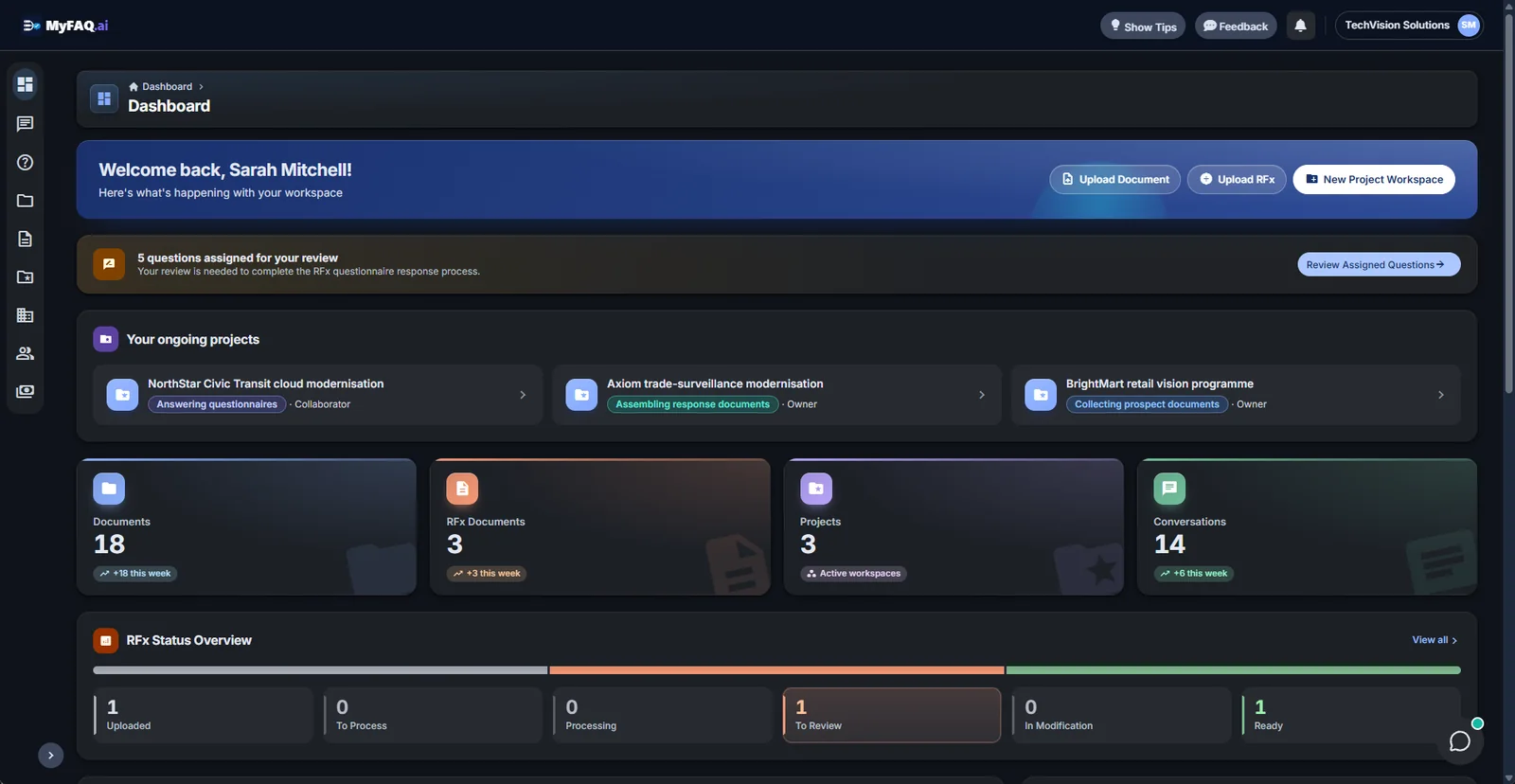
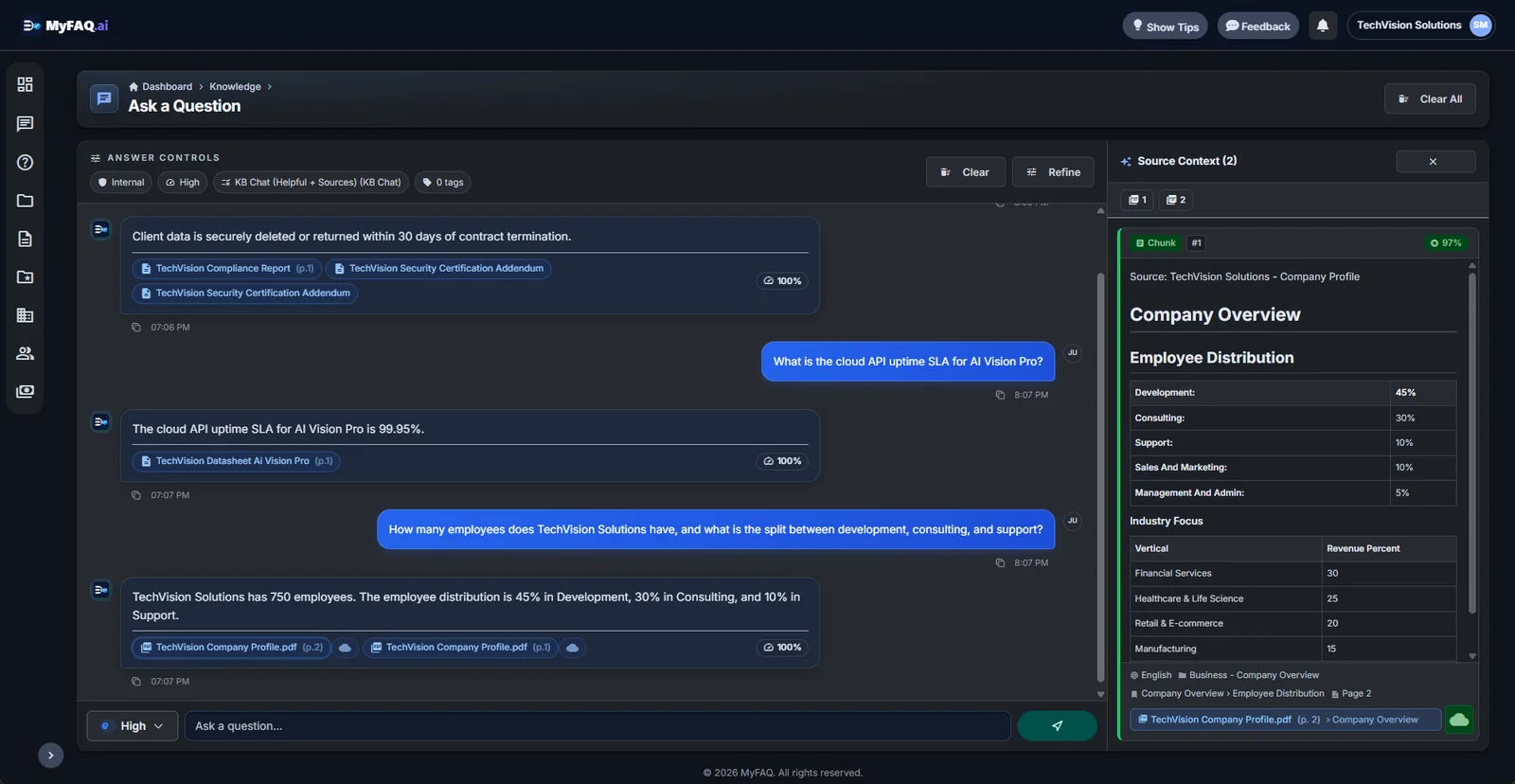
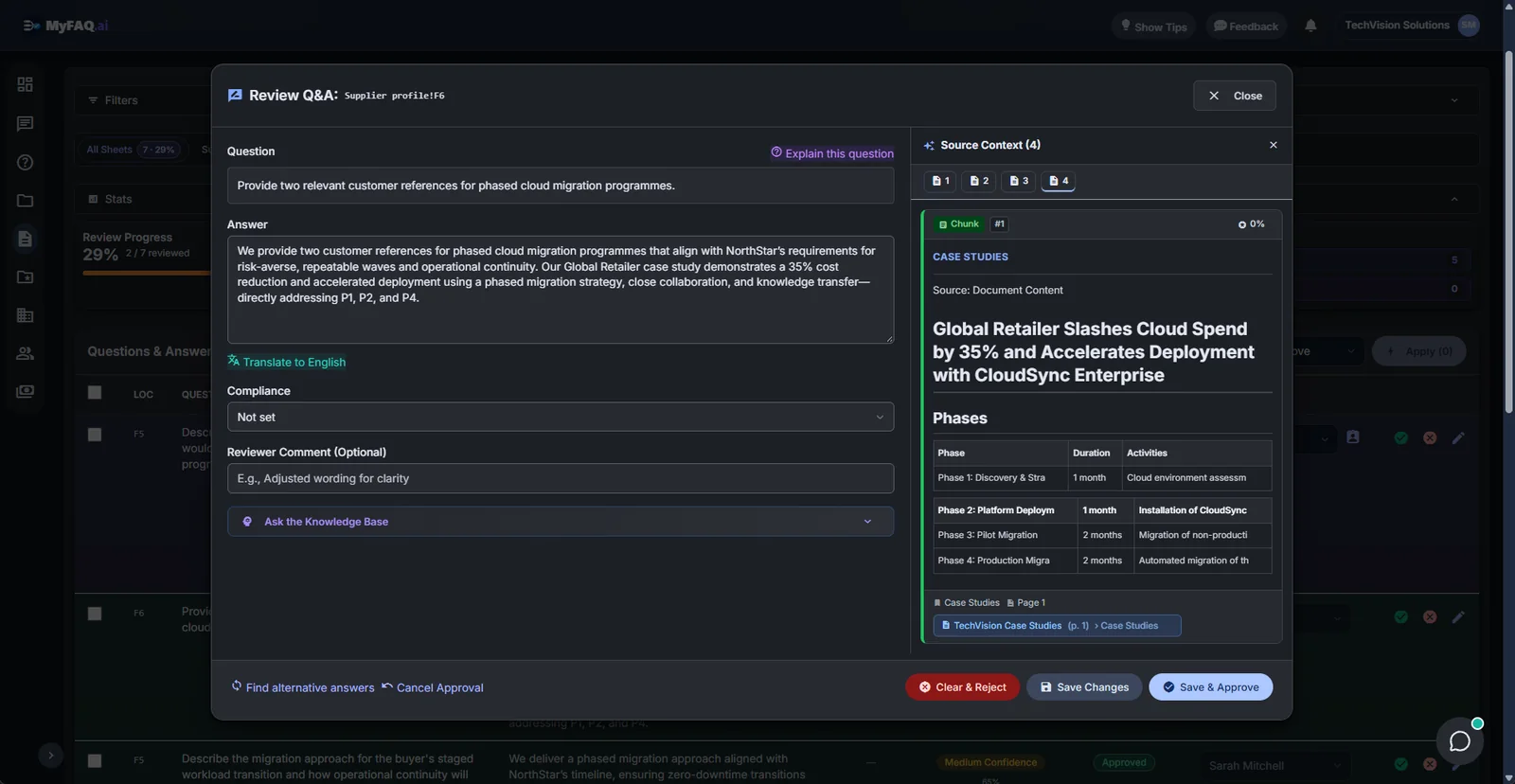
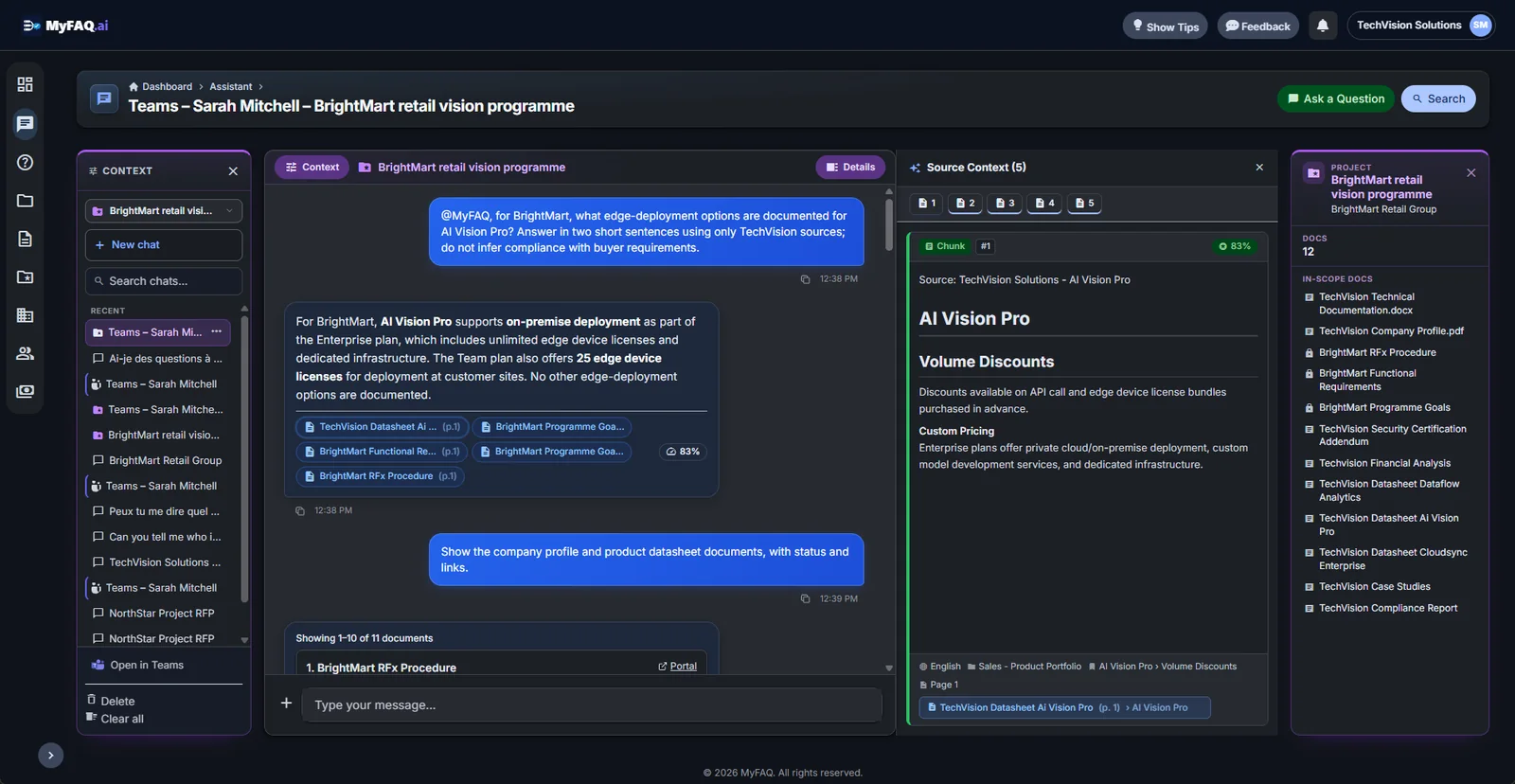
See how MyFAQ looks and works
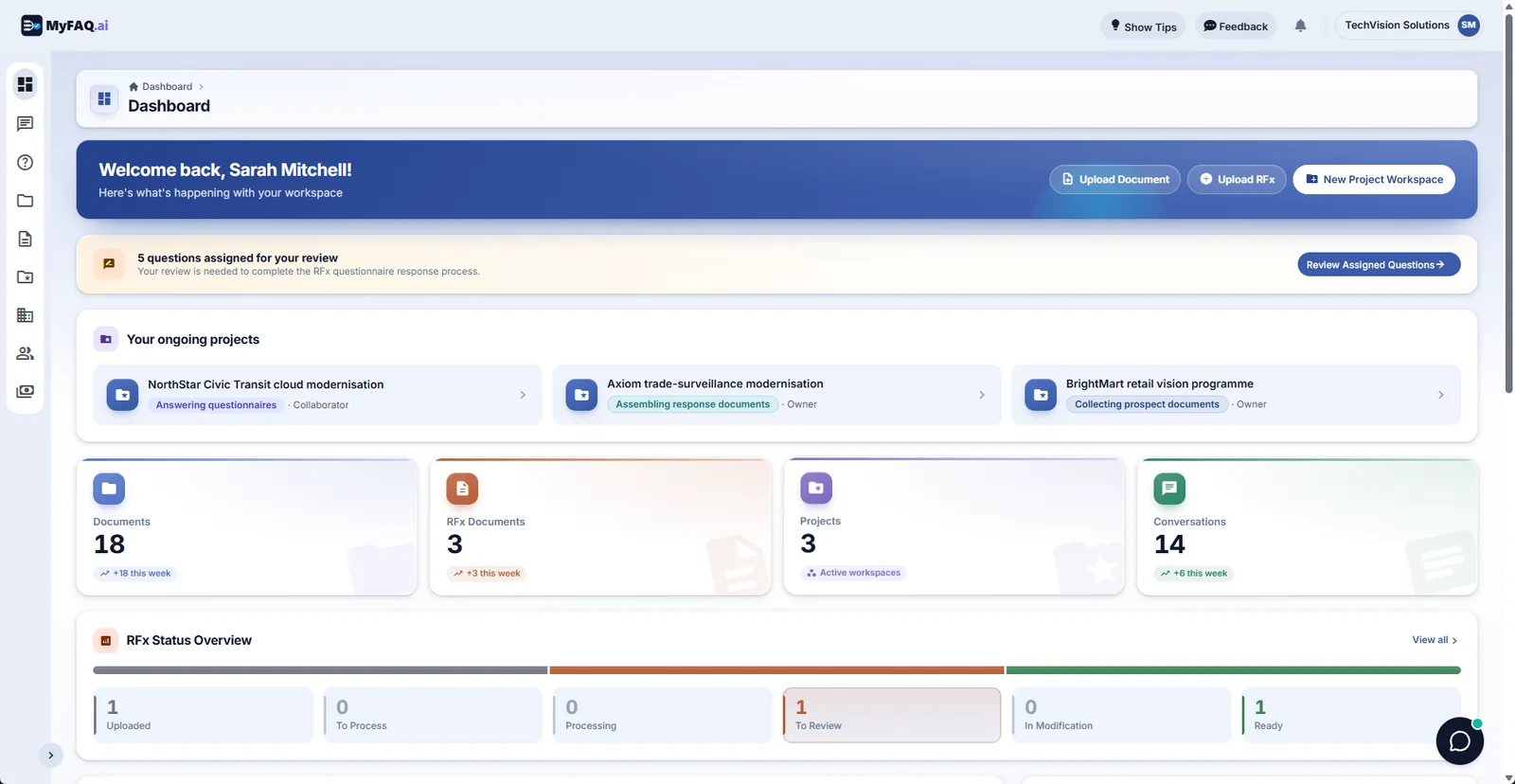
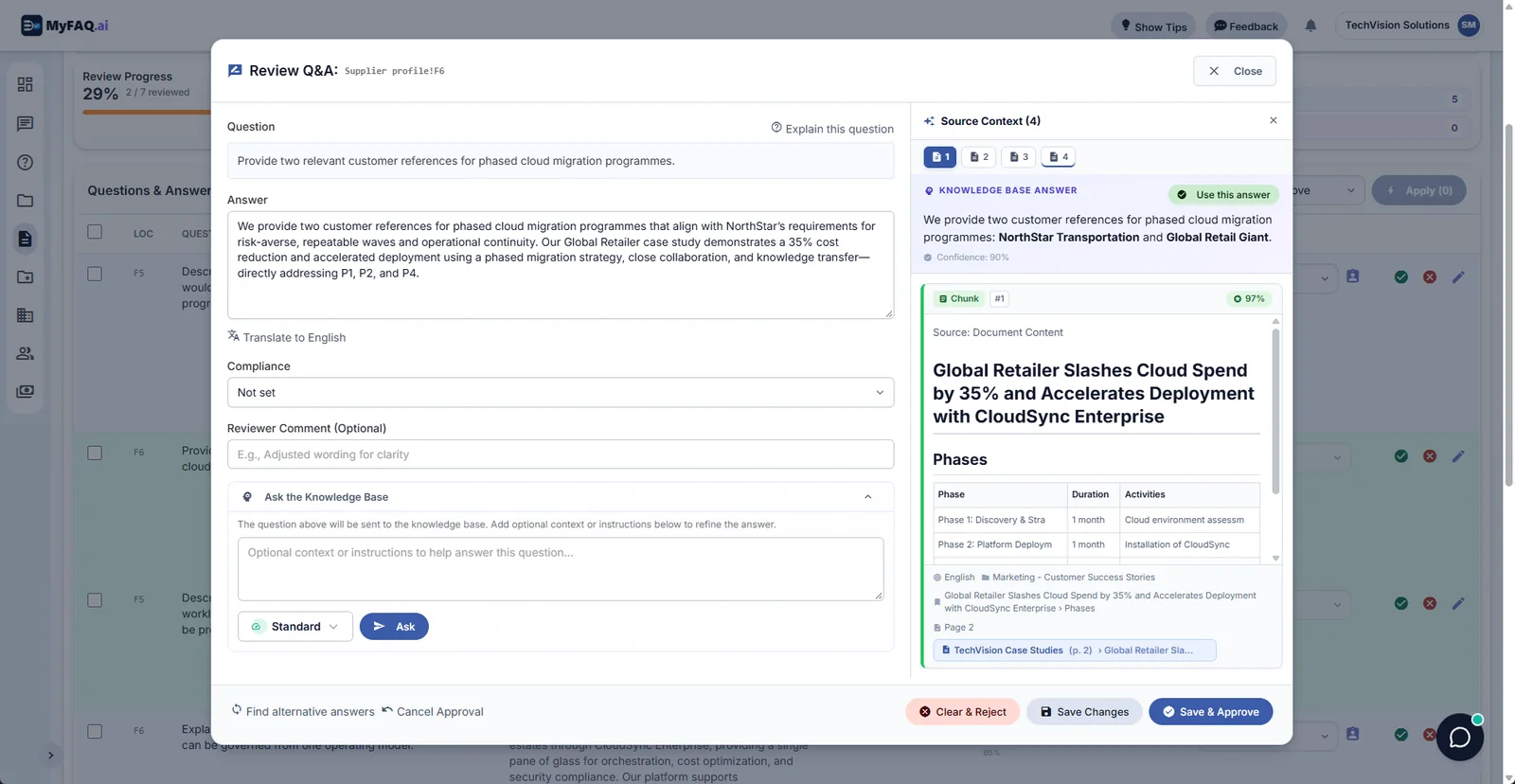
Your workspace at a glance: projects, questionnaires and reviews waiting for you.
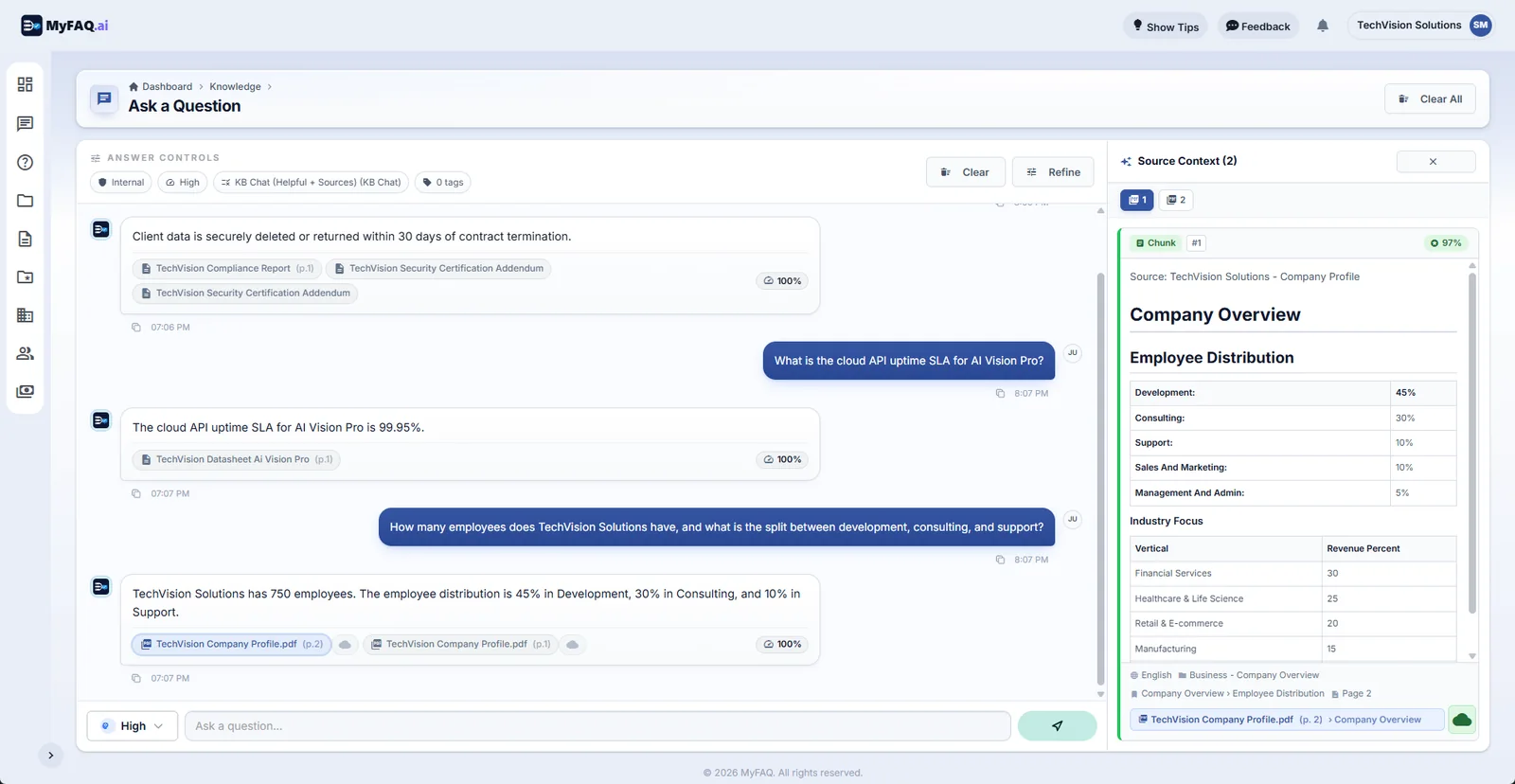
Ask anything and get an answer with its exact sources and a confidence score.
Review each draft answer next to the evidence that supports it, then approve.
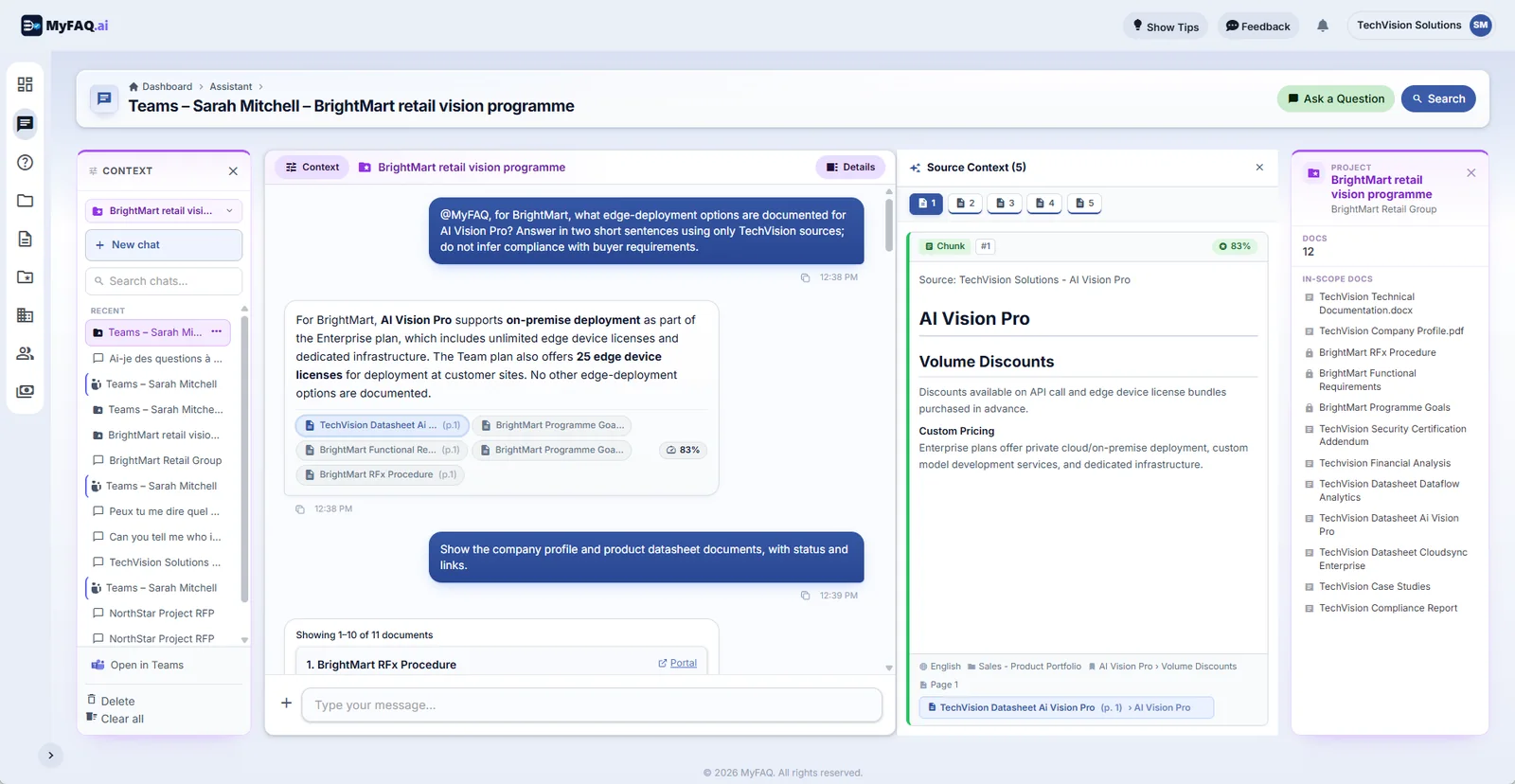
Chat with your knowledge base in the context of a specific bid.
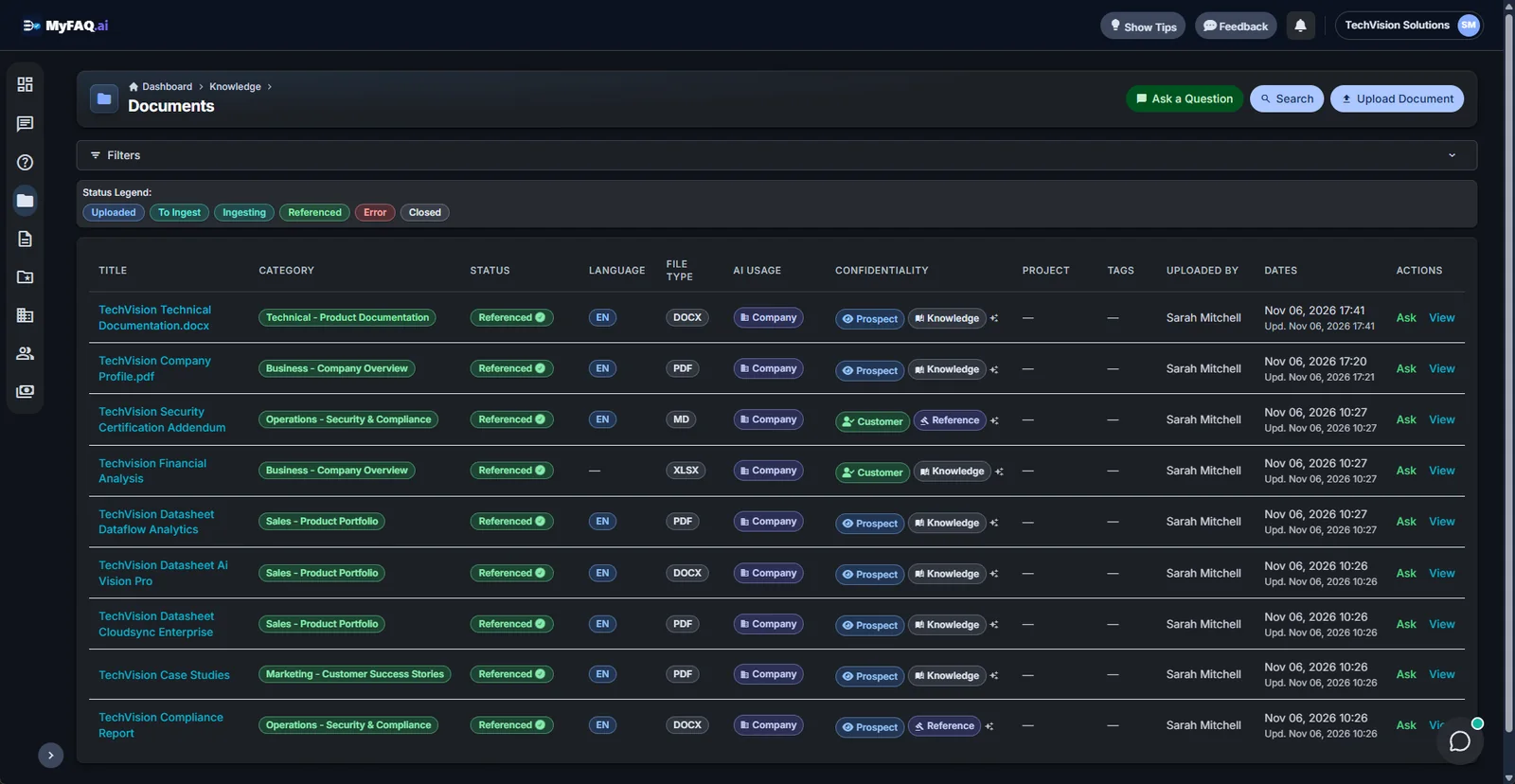
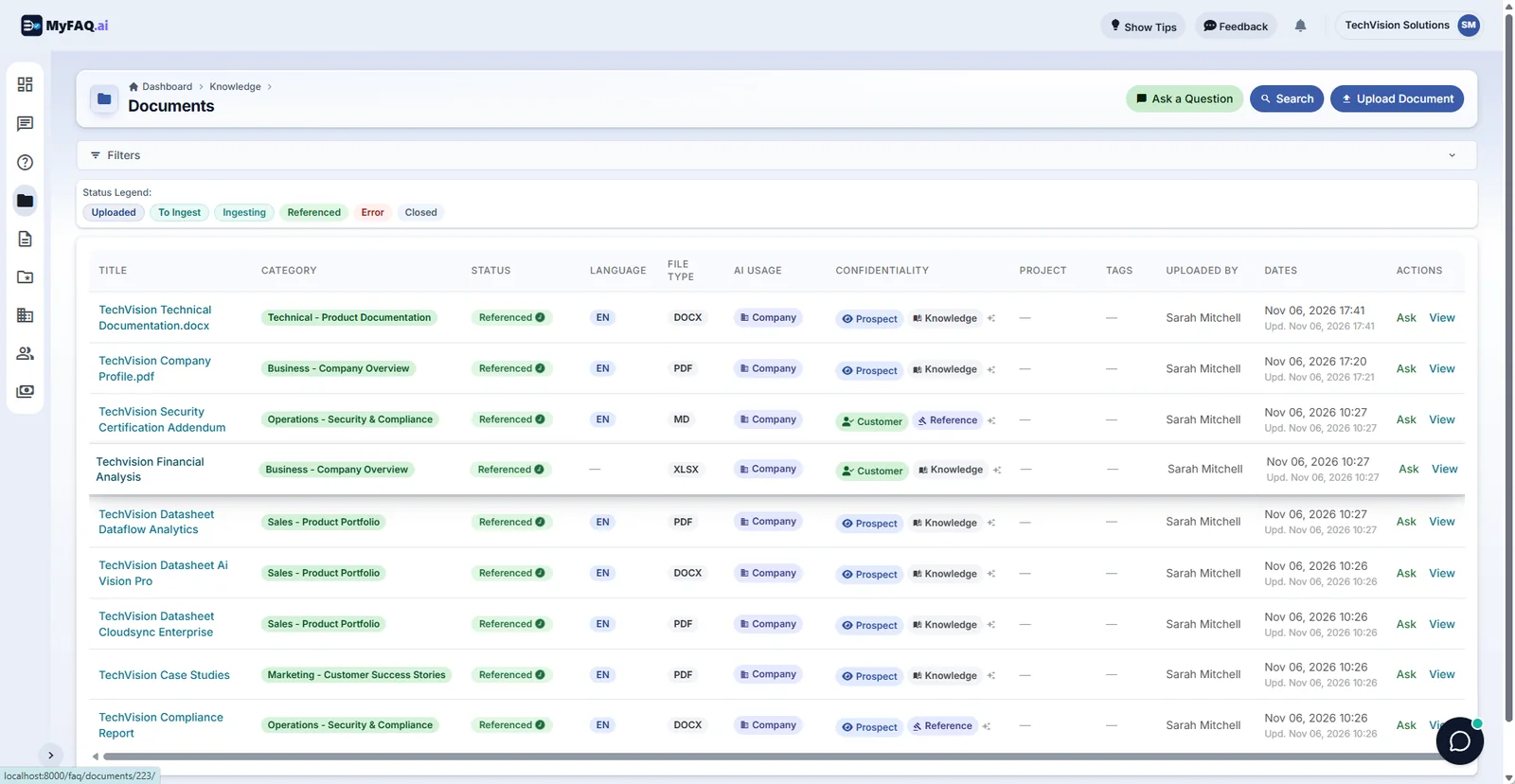
Every document is categorised, tagged by language and tracked through its lifecycle.
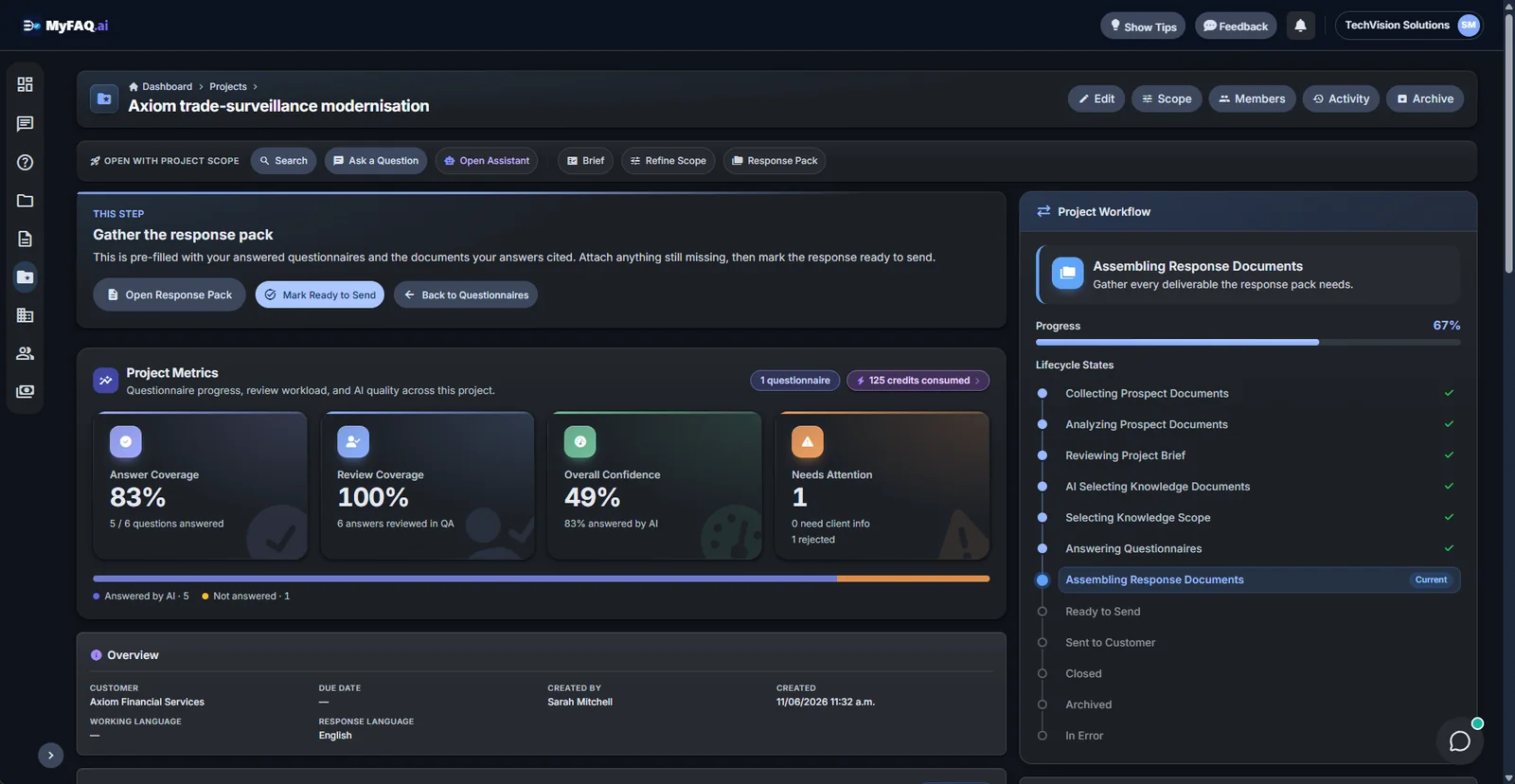
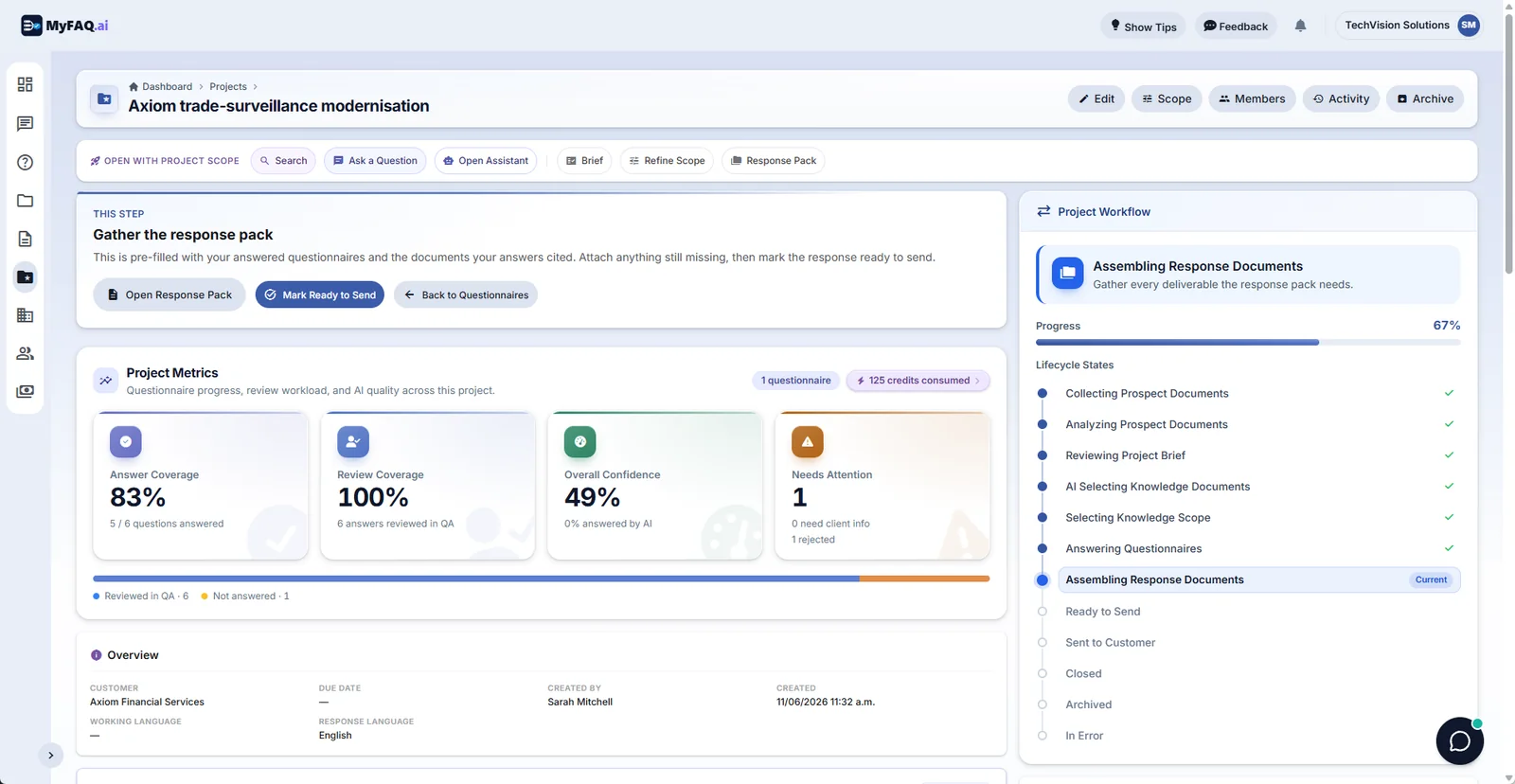
Each bid follows a guided workflow from the buyer's package to the response pack.
Answer-quality architecture
A source is not proof until it supports the exact claim
02 · Claims
Every material proposition earns its citation
03 · Calculations
Derived facts are recomputed, not trusted
04 · Coverage
Missing details become review work—not invented prose
How it works
From your documents to a reviewed answer
1
Knowledge ingestion and enrichment
2
Understand the complete worksheet
3
Match question and document scope
4
Answer from compatible cited sources
5
Human-in-the-Loop Governance
Questionnaire-aware retrieval
Generic AI matches the question. MyFAQ matches the whole questionnaire.
Generic isolated question search
14What uptime SLA do you guarantee?
CloudSync Enterprise · PDF
AI Vision Pro · PDF
MyFAQ's two-level relevance
AI Vision Pro
12
13
14What uptime SLA do you guarantee?
15
AI Vision Pro · PDF
CloudSync Enterprise · PDF
It understands the prospect's complete RFx package, too
Most RFx AI tools search only seller knowledge. MyFAQ also retrieves the prospect's own package in a separate, guarded context layer, so questionnaire answering and the project assistant understand buyer intent without ever treating customer requirements as proof of what you can deliver.
Buyer intent ≠ seller evidence
What improves when RFx work is treated as an operating system instead of a one-off scramble
Business pain points
Business benefits
Business pain points
Knowledge is scattered
Better answer consistency
Workbooks are fragile
Excel delivery without destructive reformatting
Ownership is unclear
Higher throughput with less manual work
Trust is hard to maintain
Evidence before confidence
Roles served
Proposal and bid teams
Security and compliance teams
Sales operations
Global teams
Security and governance